
It only takes a few minutes to add your concession card details online
- Visit login.horizonpower.com.au
- Enter the email or mobile number you used to register
- Confirm it’s you by entering either a password or the one-time code we’ll send to your email or mobile.
Please note: If you haven't registered with MyAccount yet, or used our previous MyAccount or Horizon Power app, you will need to register again.
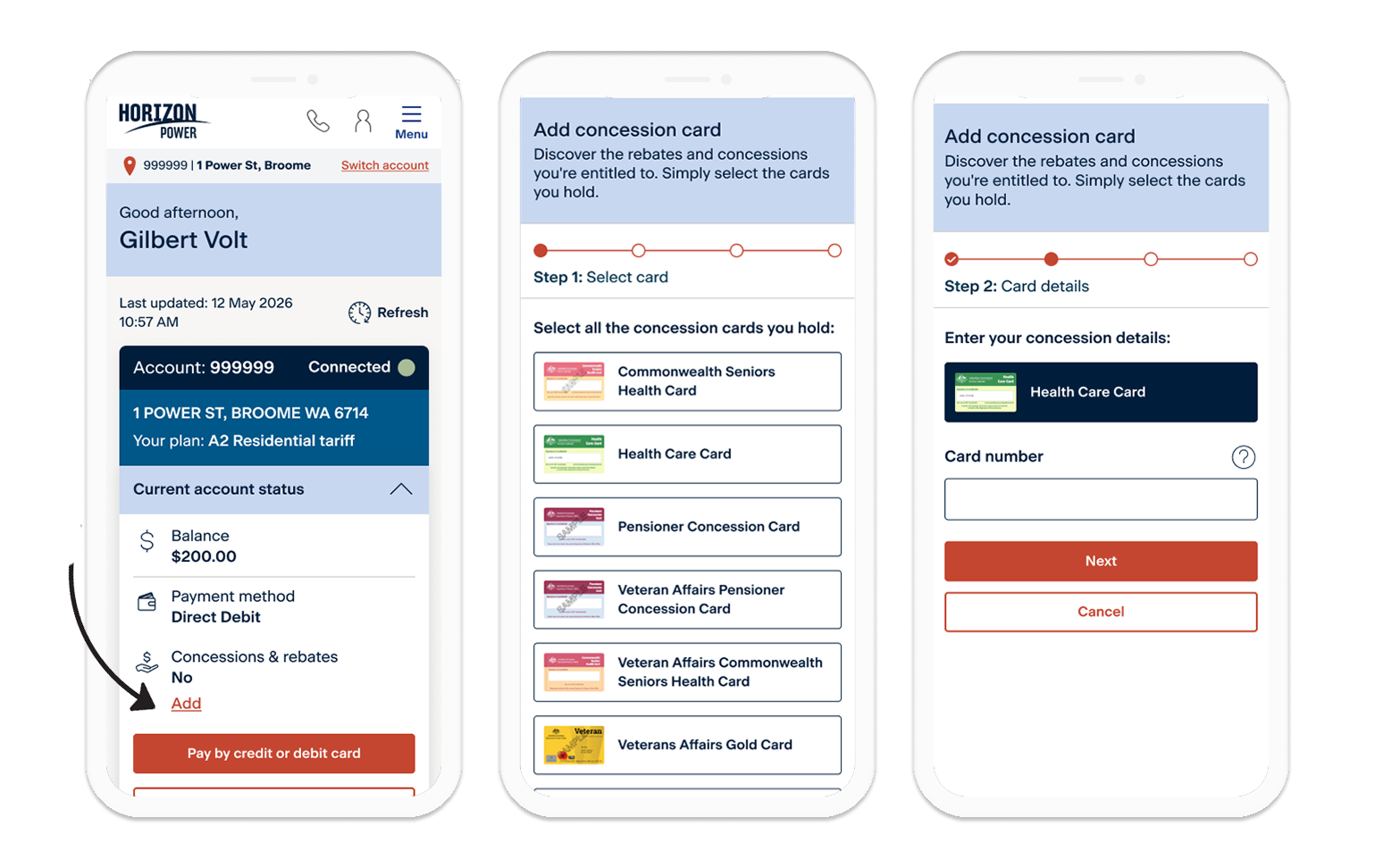
- Select Add under the concessions and rebates section on the dashboard
- Select the concession card you have from the list
- Enter your concession card number exactly as it is written on your card
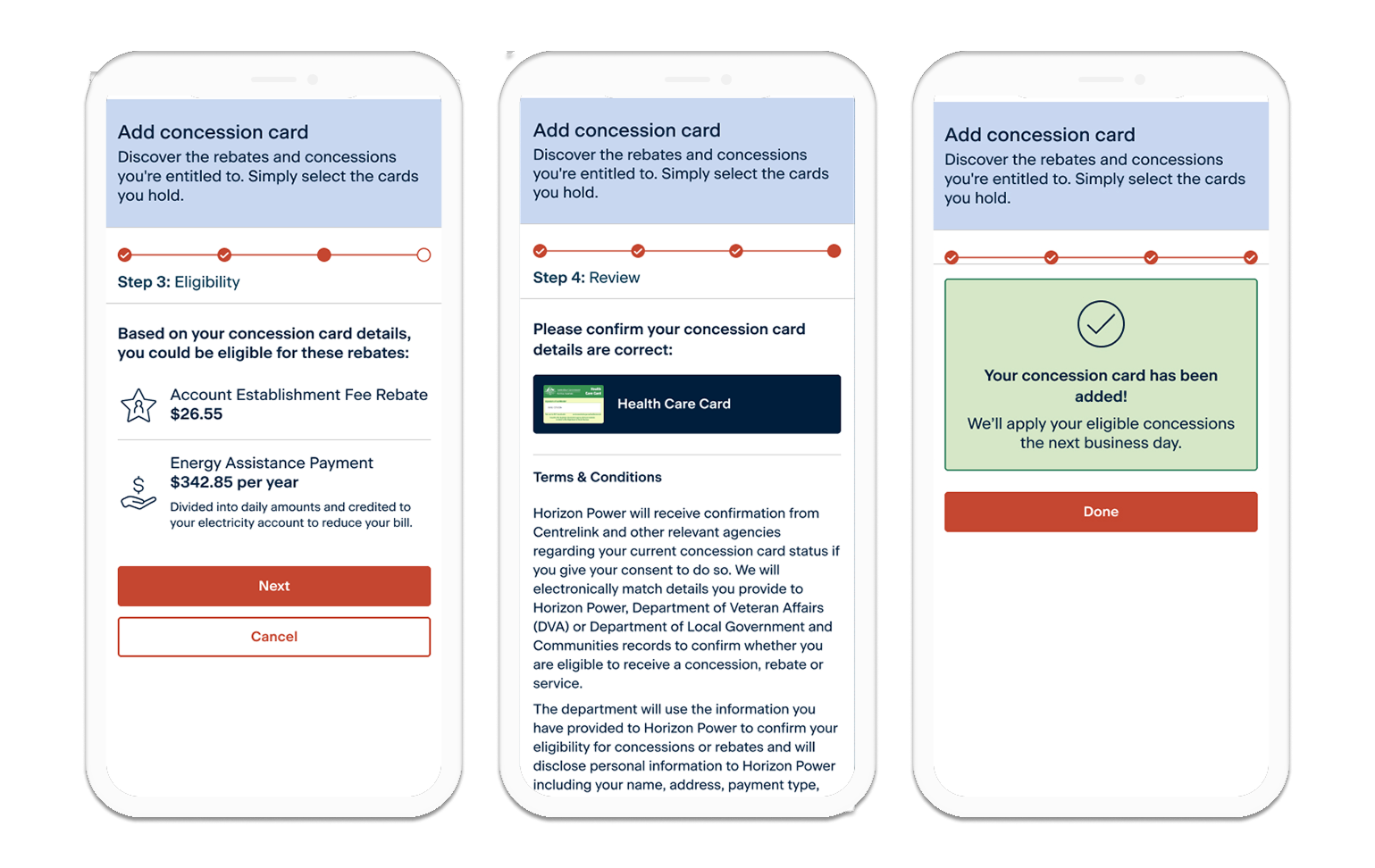
- Review the rebates you may qualify for and the current rebate amounts
- Read and accept the Terms and Conditions and select Submit
- You're done! If you qualify for a rebate, we will apply it to your account the next business day
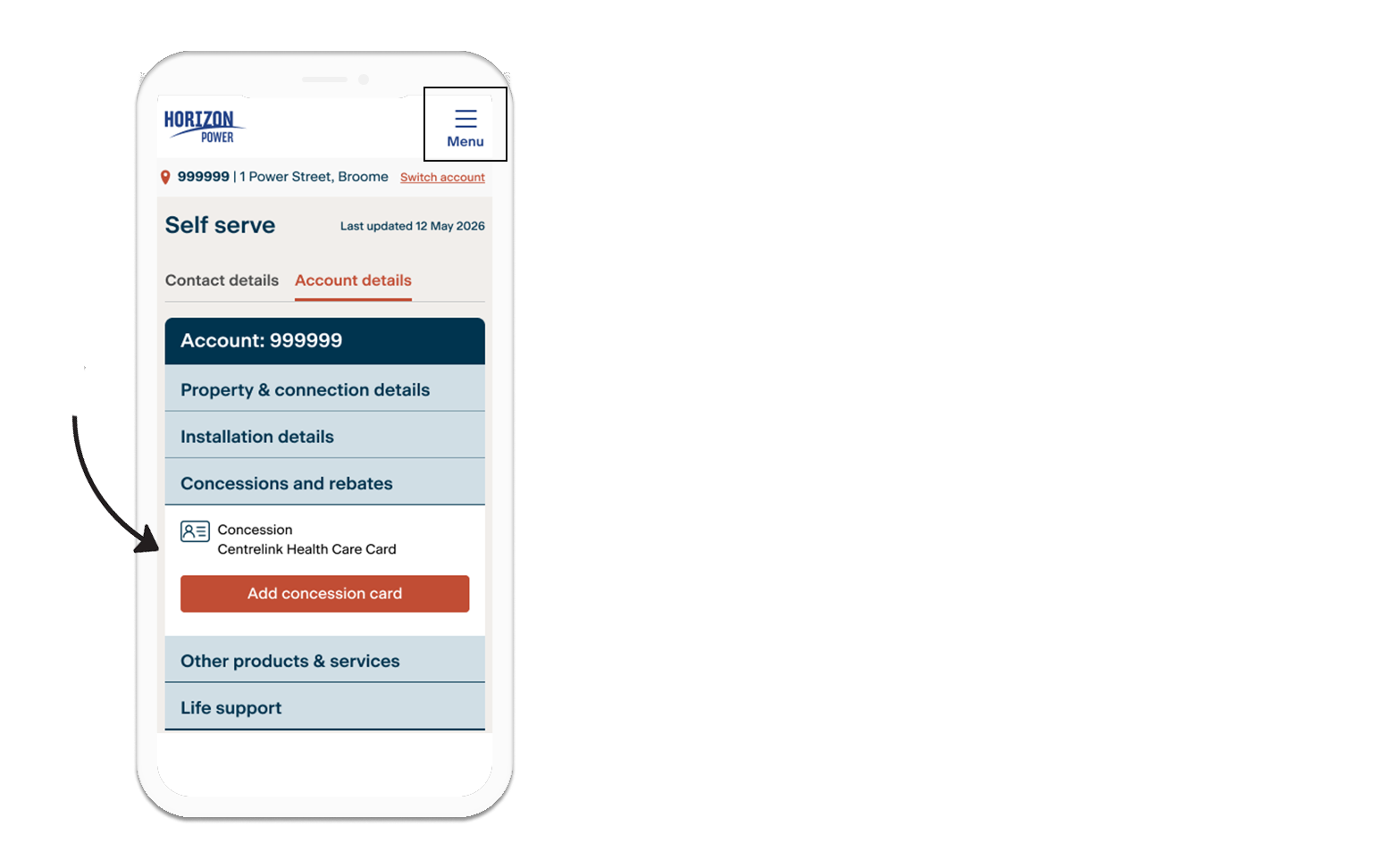
- Select the MyAccount menu -> More -> Self Serve (Account details)
- Here you can see the concession cards listed on your account
- After you add a concession card, any rebates applied to your account will be listed in the Account Charges section on the back of your next bill